Your event venue on Xolo App, step by step.
Almost everything comes ready. These are the steps to make it yours and start holding dates on WhatsApp.
Already set up
Your event venue comes already set up.
When you sign up you tell us how many rooms or gardens you rent and Xolo sets everything up with what is most common. You only review and change what is yours.
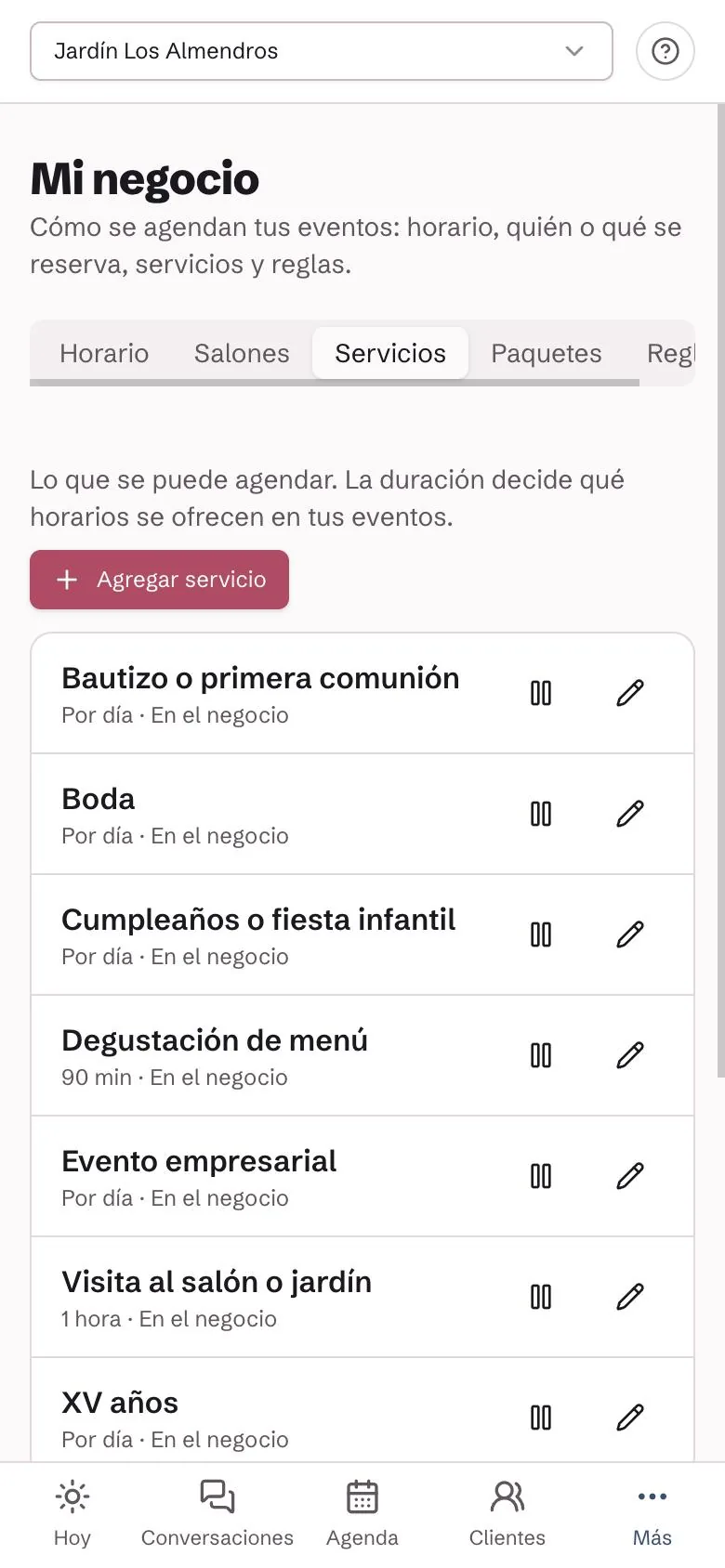
- Events by the day: weddings, quinceañeras, kids’ parties, baptisms and company events
- Venue visits and menu tastings
- The assistant checks which room is free and proposes the date for you to confirm
- A deposit to hold the date; if it doesn’t arrive in 5 days, the date is released
- Package quotes valid for 15 days, with follow-up at 3, 7 and 14
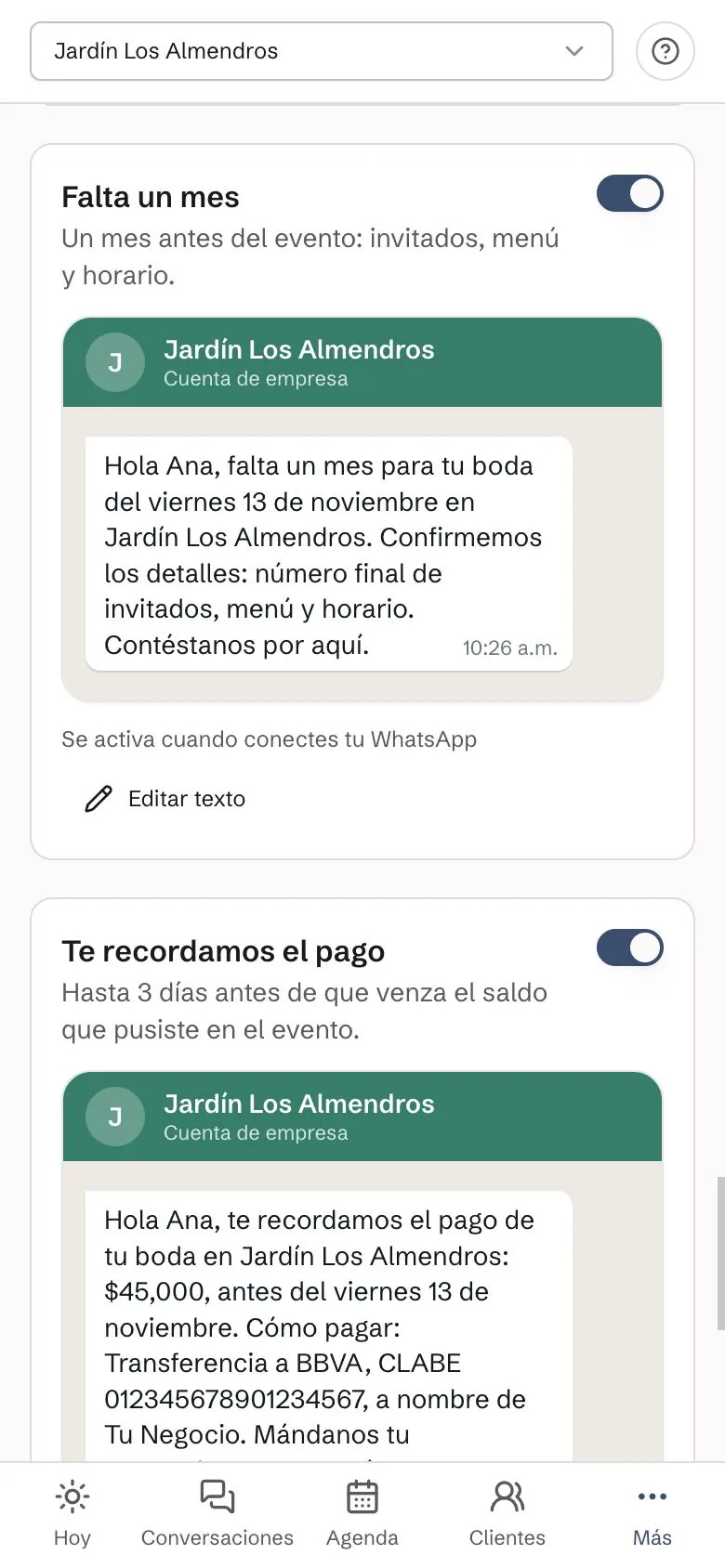
- “One month to go”, payment reminder and a reminder 72 hours before
Step by step
About 25 minutes.
Sign up your venue
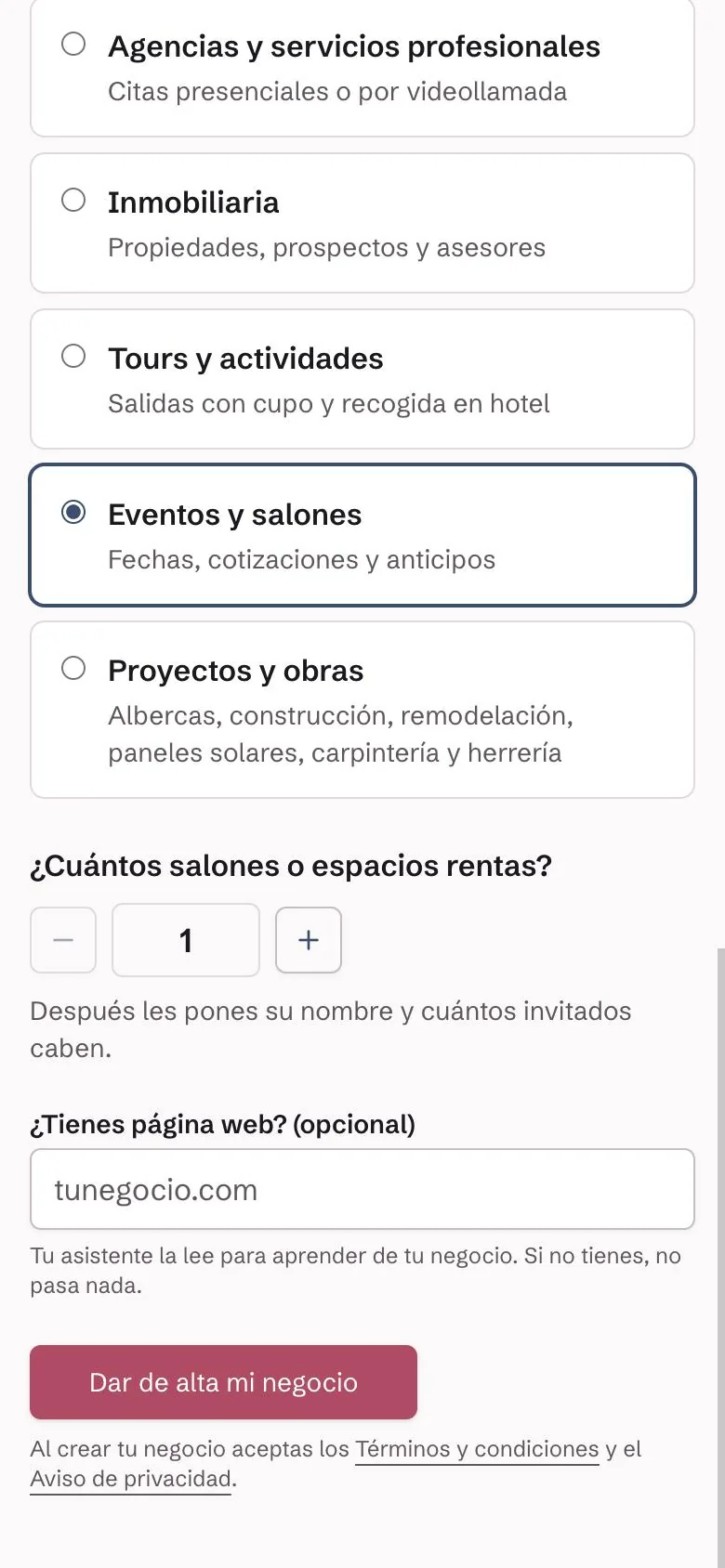
Create your account, type the name your clients know you by, choose “Events” and tell us how many rooms or spaces you rent.
- Then you give them a name and how many guests fit
- If you have a website, add it: your assistant reads it and learns about your business
Adjust rooms, packages and deposit
Under My business you add each room with its capacity, review the event types and build your per-guest packages with what each one includes.
- The deposit to hold a date and how you get paid
- How far ahead a date can be held
- What happens if they cancel
Tell your assistant what it needs to know
Under Assistant you tell it what clients ask: event hours, whether outside catering or music is allowed, parking, extra hours. What it does not know, it does not make up: it tells the client someone will reply shortly and hands you the conversation.
- Test your assistant right there, writing to it as if you were a client
Connect your WhatsApp
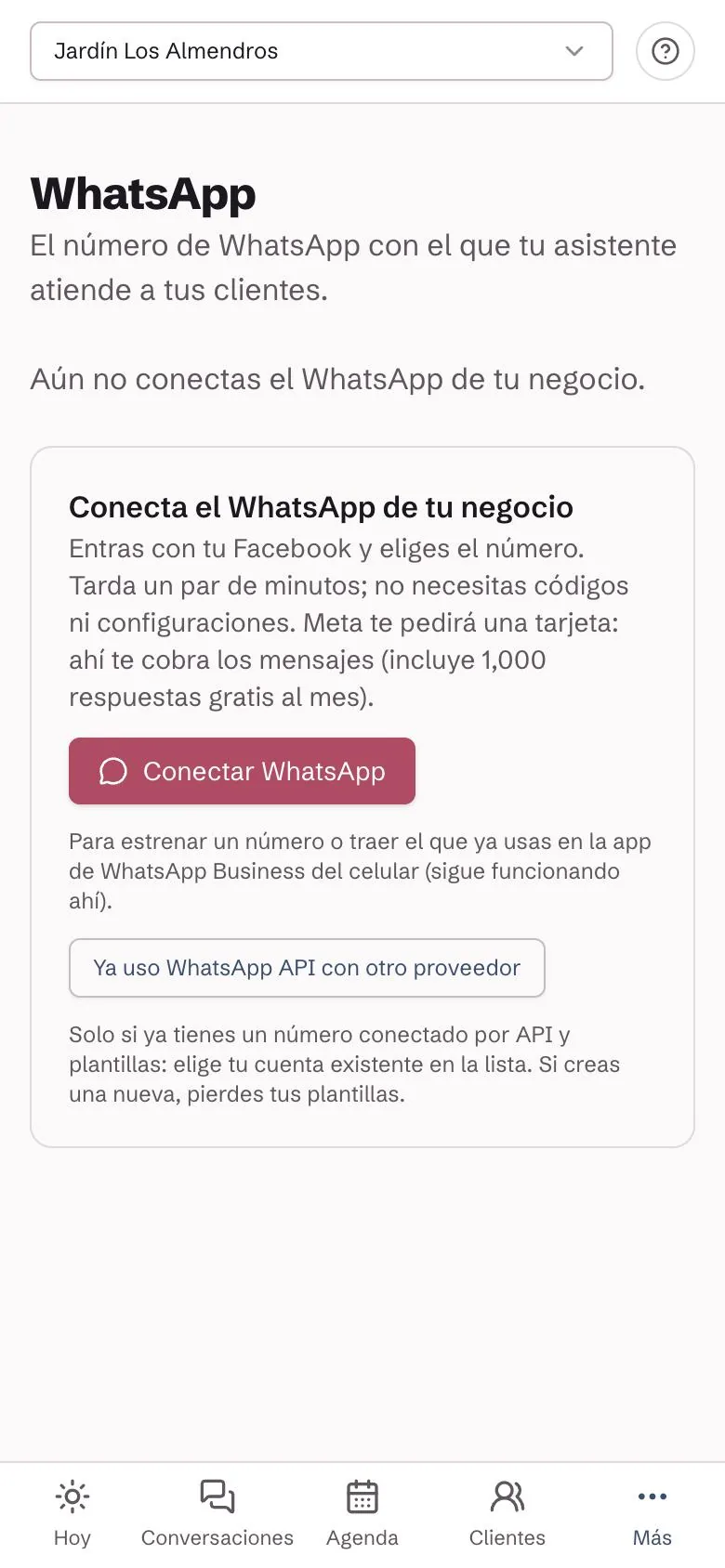
You log in with Facebook and pick your business number. It takes a couple of minutes and needs no codes or settings.
- It can be a new number or the one you already use in the WhatsApp Business app
- Meta asks for a card to charge for messages (see “Keep in mind”)
Review your automatic messages
Under Messages you will find the quote and its follow-up, the deposit, “One month to go”, the payment reminder, the reminder and the review request. Read each one, edit the text if you want and turn on the ones you will use.
- When you connect WhatsApp, Xolo sends them for approval on its own
- Clients who write in English get the confirmation, reminder and review request in English
Invite your team and load your events
Under Team you invite the people who serve clients (up to 5 seats). Put the events you already have on the calendar so the assistant doesn’t offer those dates.
Try it as a client
From another phone, write to your business and ask for a date. You’ll see the event pending under Today; confirm it and send a test quote to see what the client receives.
Sample data. Screenshots of the real app.
Keep in mind
Good to know before you start.
Meta asks for a card
When you connect your WhatsApp, Meta asks for a card on your WhatsApp Business account. Without it, reminders and updates don’t go out, and your assistant’s replies stop once the month’s 1,000 free messages are used.
Messages are charged by Meta, separately from Xolo
Anything you send to people who wrote to you in the last 24 hours (assistant and team replies, and automatic messages) is covered by 1,000 free messages a month per number; after that, about $0.16 MXN each. Reminders and updates to people who haven’t written to you cost about $0.16 MXN, and promotions about $0.73 MXN. You see the monthly estimate under Subscription.
WhatsApp reviews automatic texts
Automatic messages to people who haven’t written to you in the last 24 hours go out with a text WhatsApp reviews first. Xolo handles that for you and it can take from minutes to a day; if you edit a text, the previous one keeps going out until the new one is approved. People who wrote to you in the last 24 hours get them right away, with their buttons.
Your same number
If you already use the WhatsApp Business app on your phone, that number keeps working there and you can reply whenever you want: the assistant steps aside. If you already have WhatsApp API with another provider, pick your existing account so you keep your templates.
No deposit, the date is released in 5 days
An event with a deposit stays pending until you mark “Deposit received”. If it doesn’t arrive in 5 days, the date is released on its own so you don’t lose it.
Promotions only to those who opted in
Messages about each appointment, booking or order reach everyone. Anything that sells (offers, seasons, come back soon) only reaches people who agreed to receive promotions, and that is saved on their card.
14 days free, no card
Your assistant includes 1,500 replies a month and up to 5 seats for your team. If it does not work for you during the trial, you simply do not continue and pay nothing.
With this, your venue holds dates on WhatsApp.
If you get stuck on any step, message us and we will help you get it ready.