After hours
They write once you have closed
Tourists plan their day at night, from the hotel, often in English. If nobody answers, they book with whoever did.
Xolo App Tours
Xolo App replies at any hour, books spots on each departure up to its capacity and, the evening before, sends every traveler the meeting point and what to bring, so your tours start on time.
No card needed to start · Cancel anytime · Ready in minutes
Day to day
After hours
Tourists plan their day at night, from the hotel, often in English. If nobody answers, they book with whoever did.
Capacity
Tracking each departure’s capacity in a notebook or in chat ends in overbooking or half-empty tours.
Delays
If travelers aren’t clear on the meeting point and what to bring, the group leaves late and the itinerary slips.
How it looks in Xolo App
Calendar
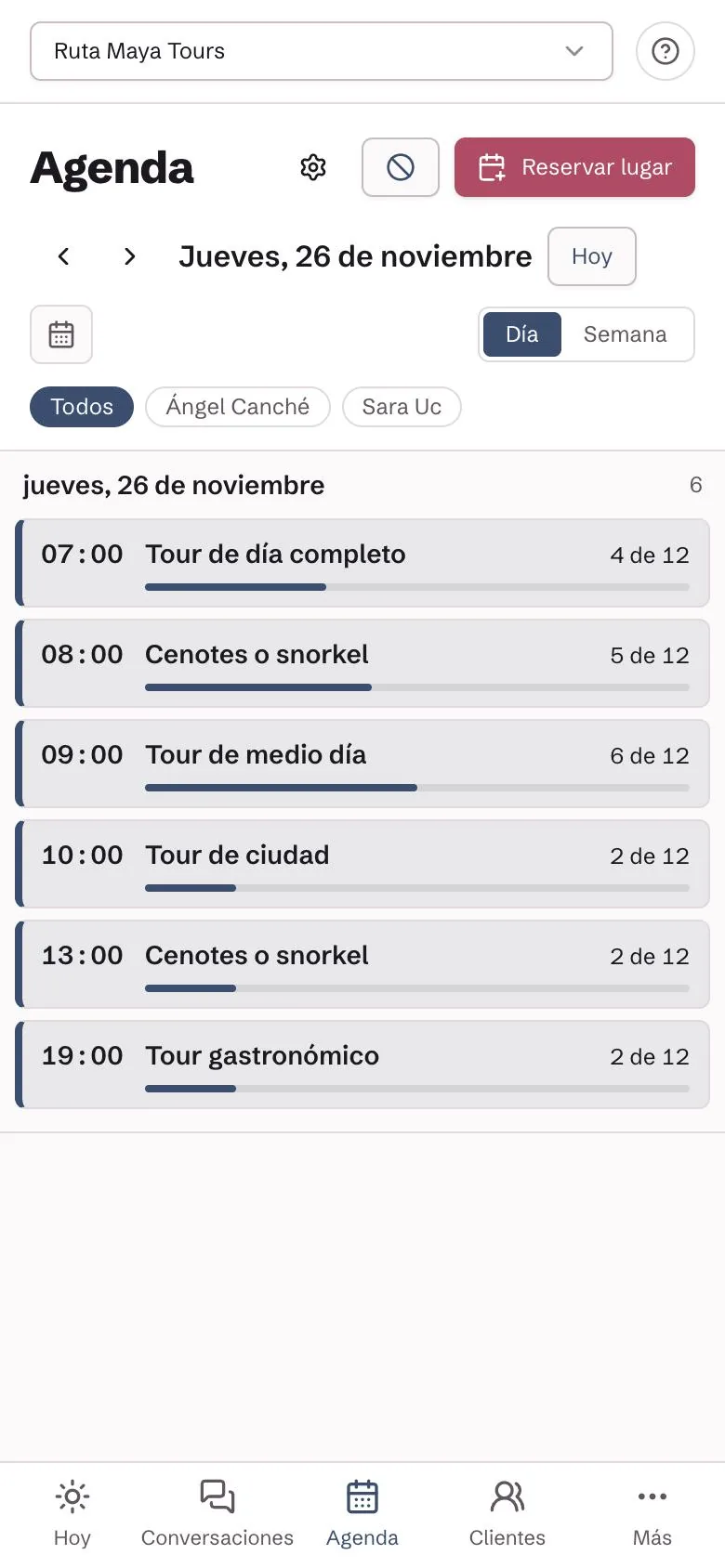
Your tours leave at set times with a number of spots. The assistant books while there is room and you see how many are on each departure.
Reminders
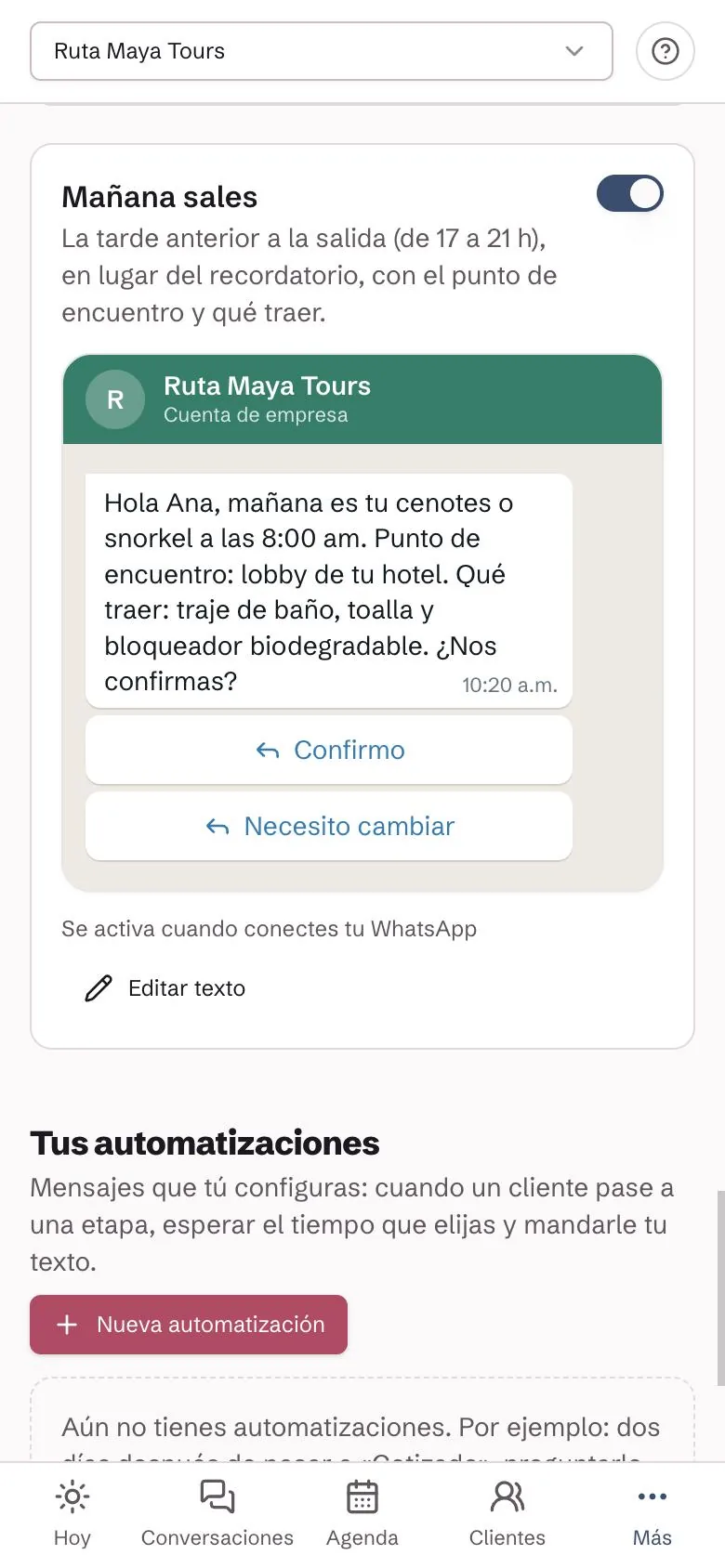
The evening before, instead of the regular reminder, every traveler gets the time, meeting point and what to bring, with “Confirm” or “I need to change”.
Know them
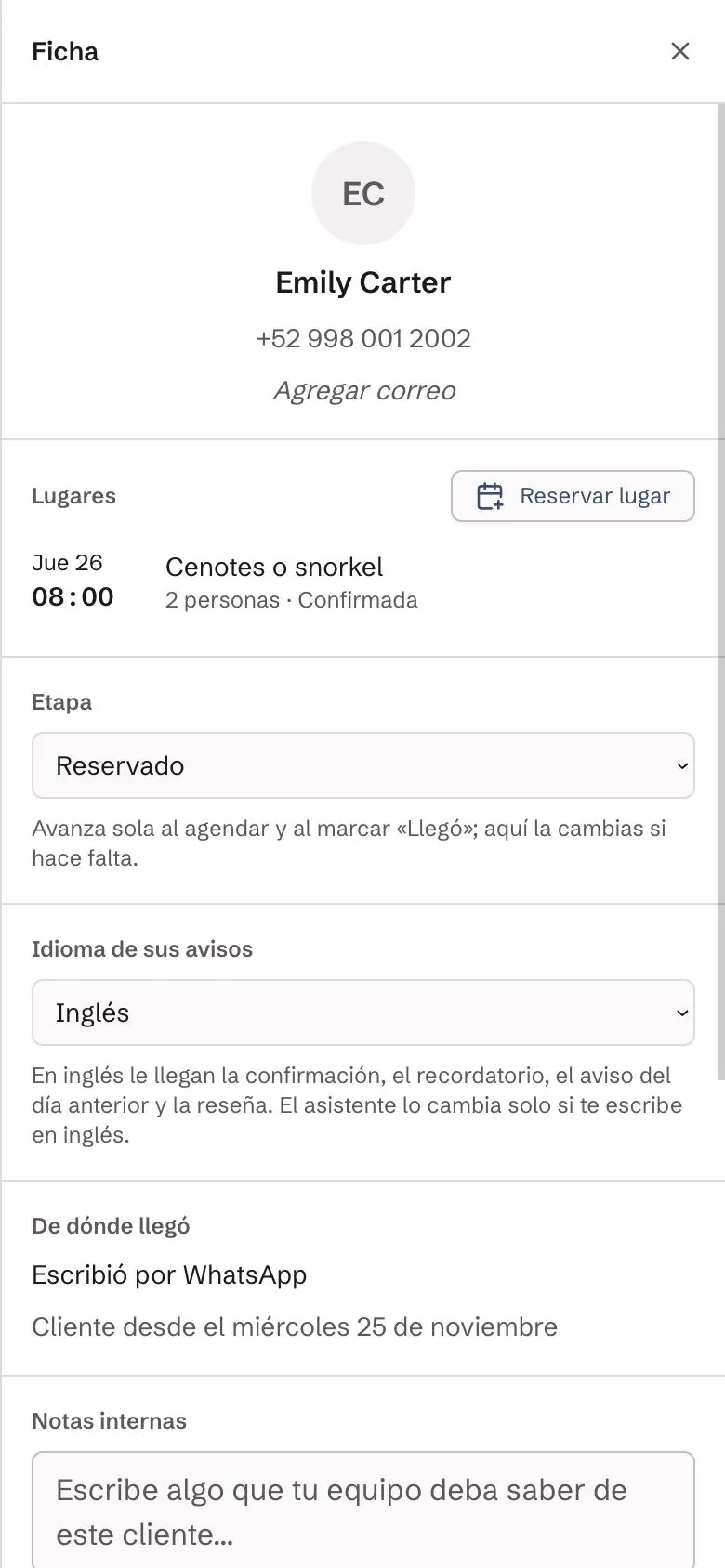
Their card shows the booking, how many people and which language their messages go out in. The assistant replies in the language they write in.
Sample data. Screenshots of the real app.
Automatic messages
Real Xolo App texts for tours. You can edit them, turn them off or leave them as they are. For people who haven’t written to you in the last 24 hours they go out with the text WhatsApp approved, and Xolo handles that for you.
When booked in the app
Confirmation
The evening before (in Spanish)
Mañana sales
The next day
Google review
Ready to use
When you sign up you choose “Tours and activities” and Xolo sets everything up with what is most common. You only review and change what is yours.
About 30 minutes.
One plan
Everything included: AI assistant with 1,500 replies a month, calendar, clients, automatic messages, insights and up to 5 seats for your team. You can also pay every 6 months or yearly at a discount.
FAQ
Yes. It replies in the language people write in and saves it on the traveler’s card; from then on the confirmation, reminder and review request go out in English.
Yes. Each tour has its price per adult, its child price and a minimum number of people to run. You change them under My business.
No. Xolo App handles the direct bookings that come through your WhatsApp. Whatever you sell elsewhere, you add on the calendar so capacity adds up.
Yes. You keep your number and can keep replying from your phone. When you write, the assistant steps aside.
3,000 MXN a month plus VAT, with 14 days free and no card to start. WhatsApp messages are charged by Meta directly to your card; anything you send to people who wrote to you in the last 24 hours is covered by 1,000 free messages a month per number.
Try it free for 14 days with your tours. If it doesn’t fill your departures or save you time, you don’t continue and you pay nothing.
Xolo App adapts to every type of business. See all business types