Travel
Back-to-back visits across town
Booking without travel time ends with technicians arriving late and clients waiting all morning.
Xolo App Home services
Xolo App asks for the address and what’s going on from the first message, proposes the visit with travel time in between, tells the client when your technician is on the way and follows up on the quote.
No card needed to start · Cancel anytime · Ready in minutes
Day to day
Travel
Booking without travel time ends with technicians arriving late and clients waiting all morning.
Information
Without a photo or description, the technician doesn’t bring the right part and has to come back another day.
Quotes
You sent the estimate and the client didn’t reply. Without follow-up, someone else gets the job.
How it looks in Xolo App
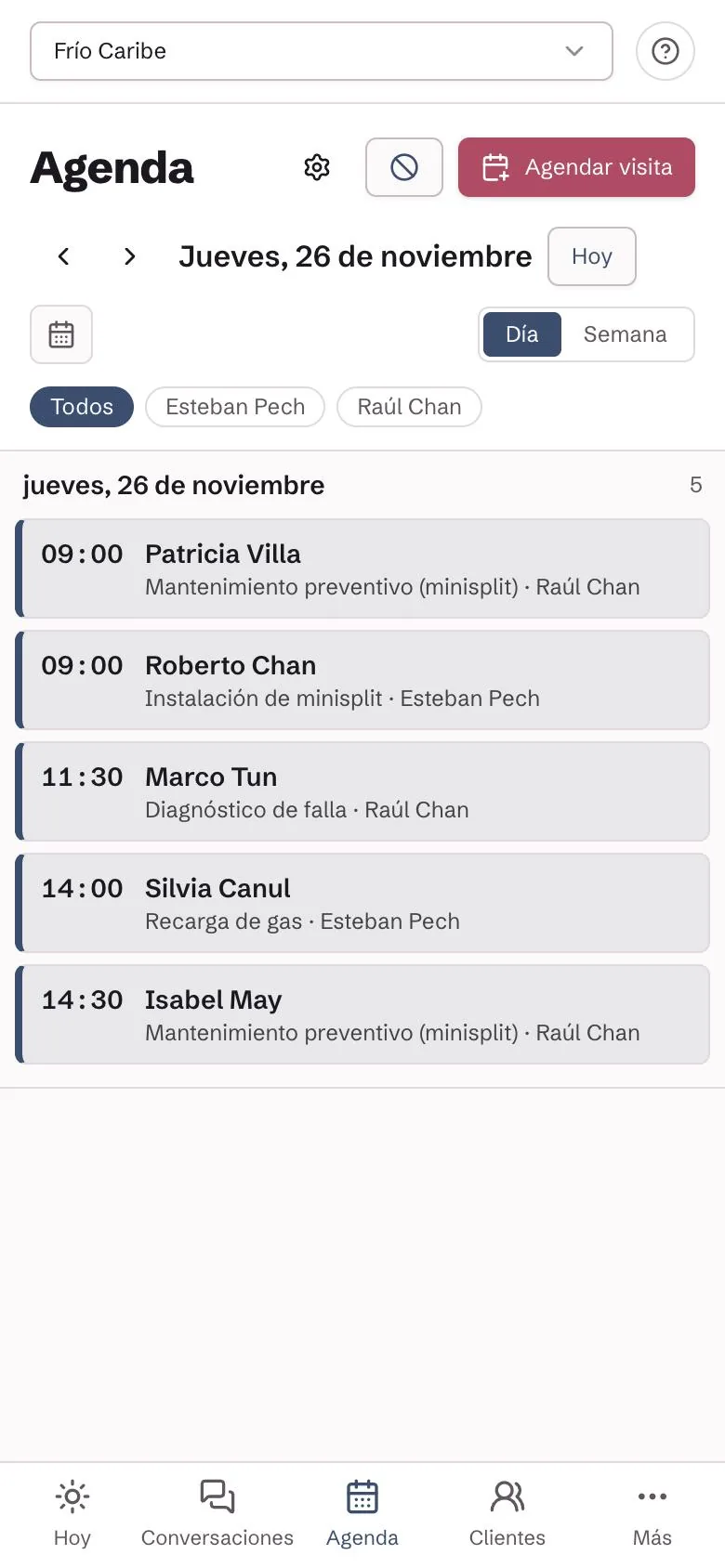
Calendar
The assistant asks for the address when booking and leaves 30 minutes of travel between visits. Your team confirms each visit.
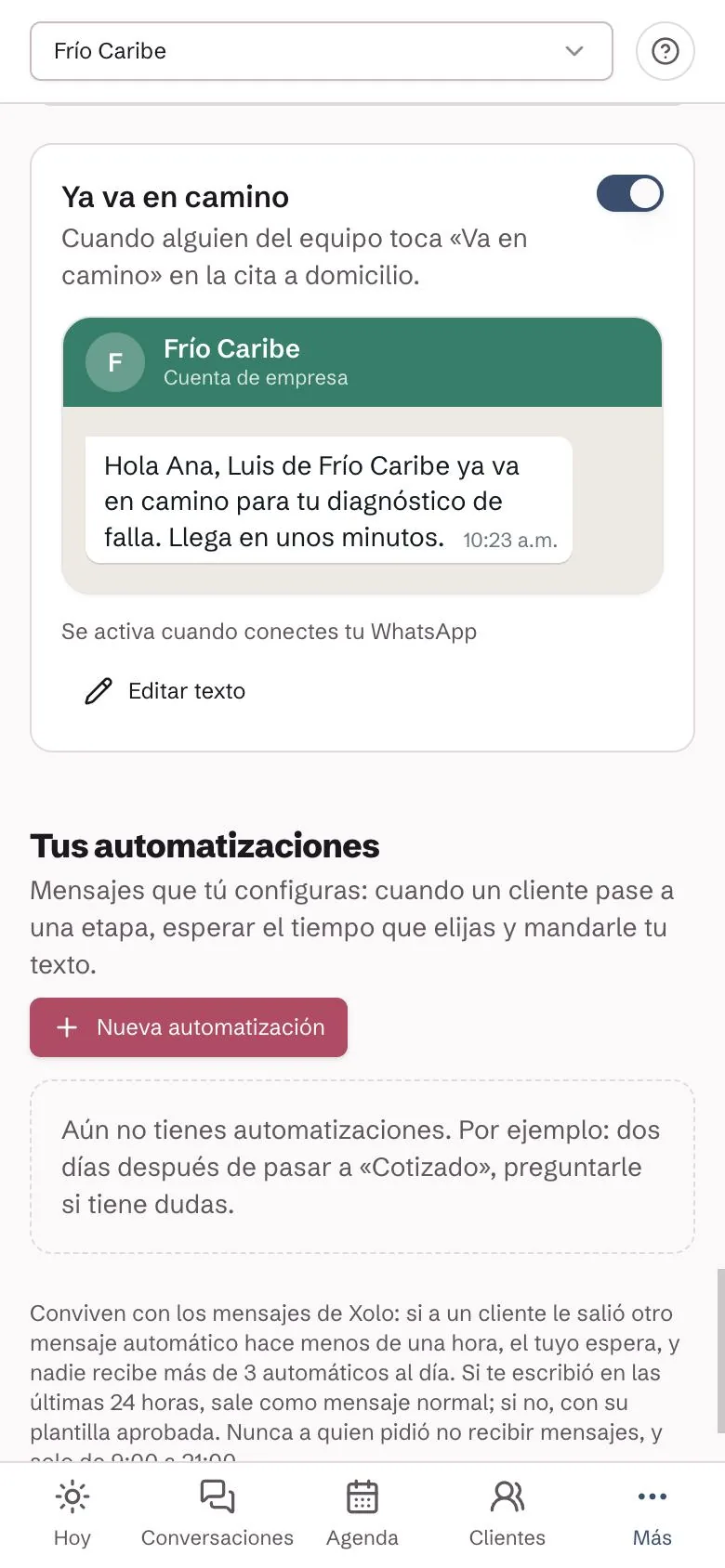
Updates
Your technician taps “On the way” on the visit and the client is told who’s coming and that they’ll be there soon. Then the quote with its total and follow-ups.
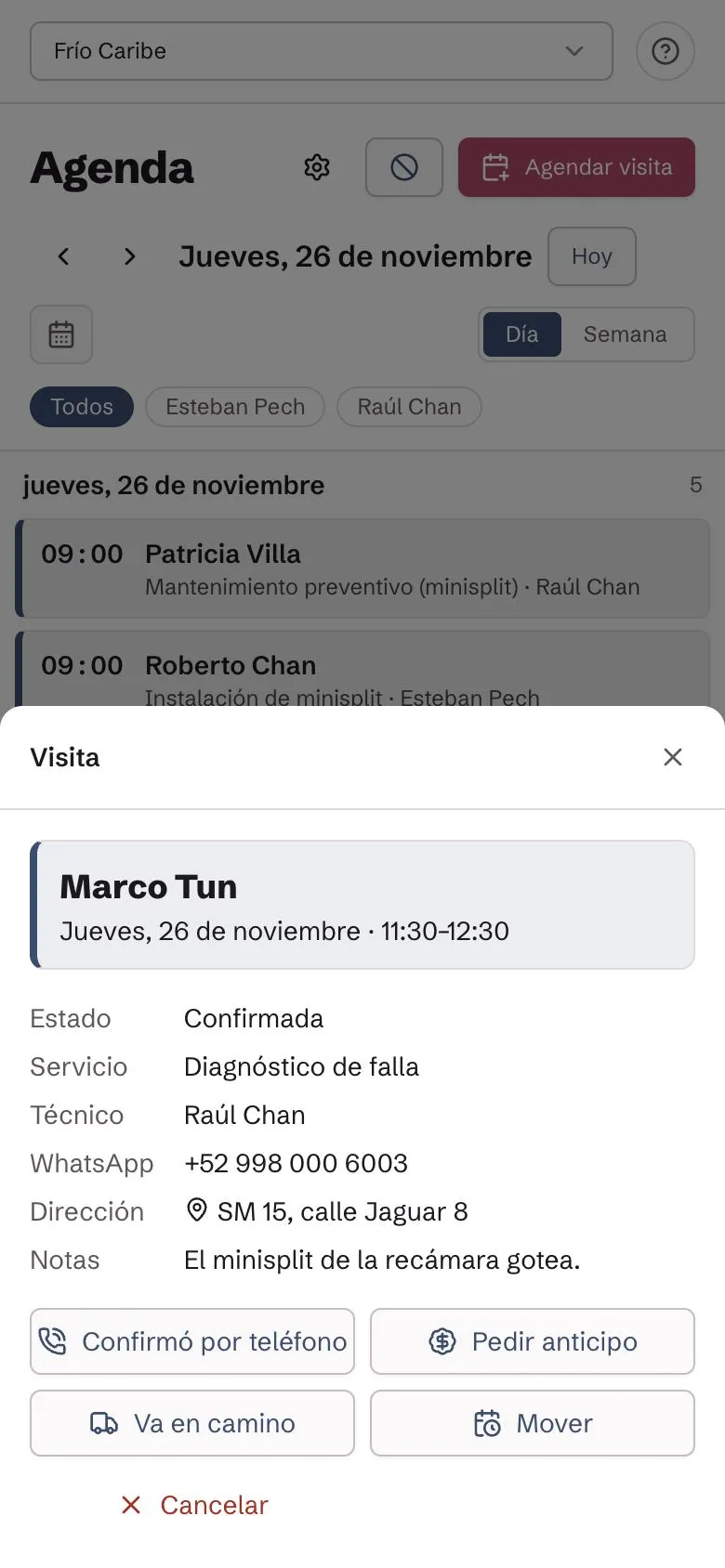
Know them
The visit shows the address, service, technician and what the client told us. Stages show who you visited, who you quoted and which jobs are booked.
Sample data. Screenshots of the real app.
Automatic messages
Real Xolo App texts for home services (shown here in English). You can edit them, turn them off or leave them as they are. For people who haven’t written to you in the last 24 hours they go out with the text WhatsApp approved, and Xolo handles that for you.
24 hours before
Reminder
When your technician leaves
On the way
When you send the quote
Your quote
Days later
Did you review your quote?
Ready to use
When you sign up you choose your specialty and Xolo sets everything up with what is most common. You only review and change what is yours.
About 20 minutes.
One plan
Everything included: AI assistant with 1,500 replies a month, calendar, clients, automatic messages, insights and up to 5 seats for your team. You can also pay every 6 months or yearly at a discount.
FAQ
Yes. When you sign up you choose plumbing, electrical, AC and refrigeration, cleaning, pest control, or gardening, locksmith and maintenance. Each starts with its services.
Not by default: for home services it comes off, because the price depends on the visit. Your team builds the quote from the client’s card.
If the client says it’s urgent (a leak, no power, locked out), the assistant hands you the conversation right away and doesn’t promise a time.
Yes. You keep your number and can keep replying from your phone. When you write, the assistant steps aside.
3,000 MXN a month plus VAT, with 14 days free and no card to start. WhatsApp messages are charged by Meta directly to your card; anything you send to people who wrote to you in the last 24 hours is covered by 1,000 free messages a month per number.
Try it free for 14 days with your home service business. If it doesn’t organize your visits or save you time, you don’t continue and you pay nothing.
Xolo App adapts to every type of business. See all business types