In session
Nobody answers while you are with a patient
The phone and WhatsApp ring right when you are with a patient. Whoever doesn’t get an answer looks for another clinic.
Xolo App Clinics
Xolo App replies politely, books with the right professional and service, confirms the day before and, if someone cancels, you find out in time to give the slot to another patient.
No card needed to start · Cancel anytime · Ready in minutes
Day to day
In session
The phone and WhatsApp ring right when you are with a patient. Whoever doesn’t get an answer looks for another clinic.
No-shows
Without confirming the day before, you discover the gap when there is no time left to give it to anyone else.
Follow-up
The patient who felt discomfort doesn’t write again. And whoever was due for a cleaning or check-up forgets.
How it looks in Xolo App
Calendar
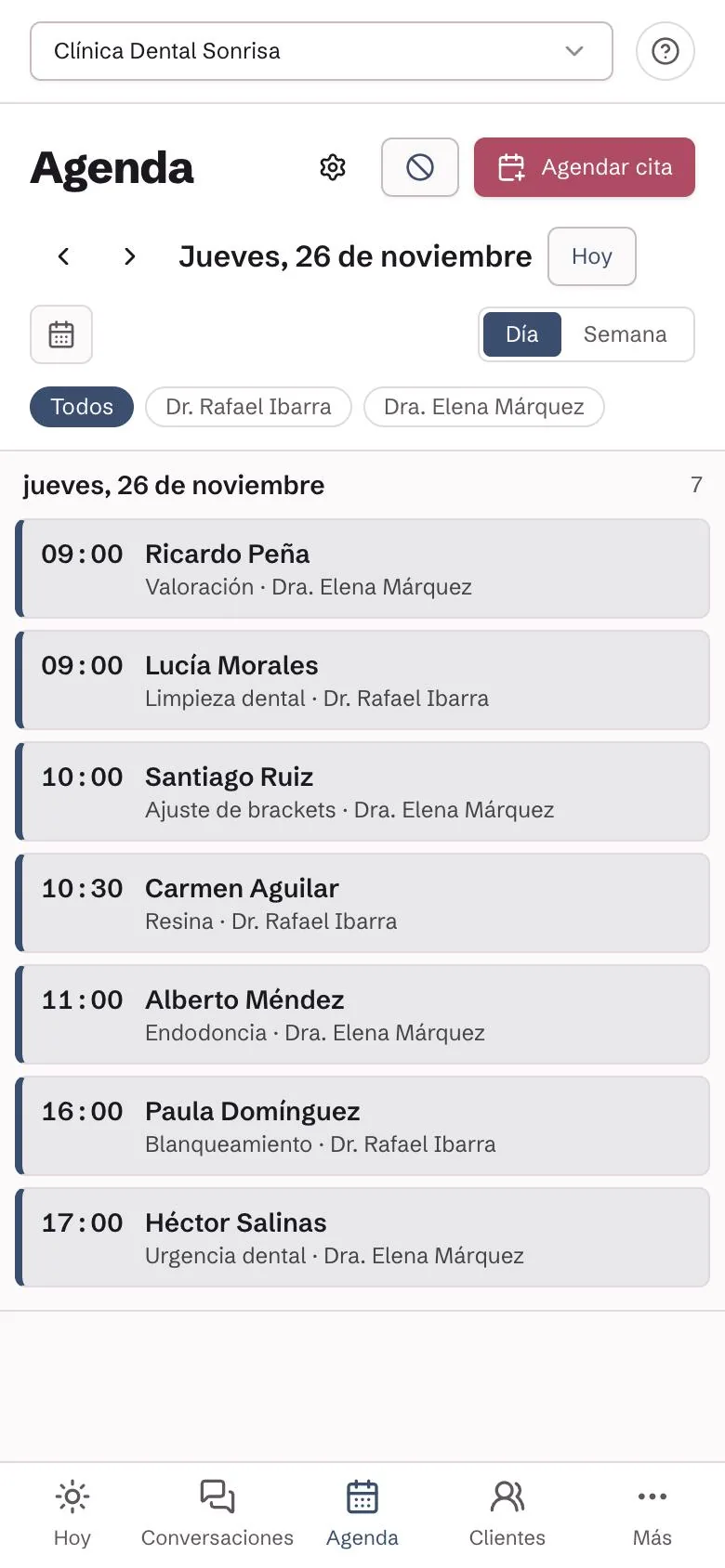
You add each doctor, dentist or therapist and their services with their length. The assistant books only within your hours, with prep time between patients.
Reminders
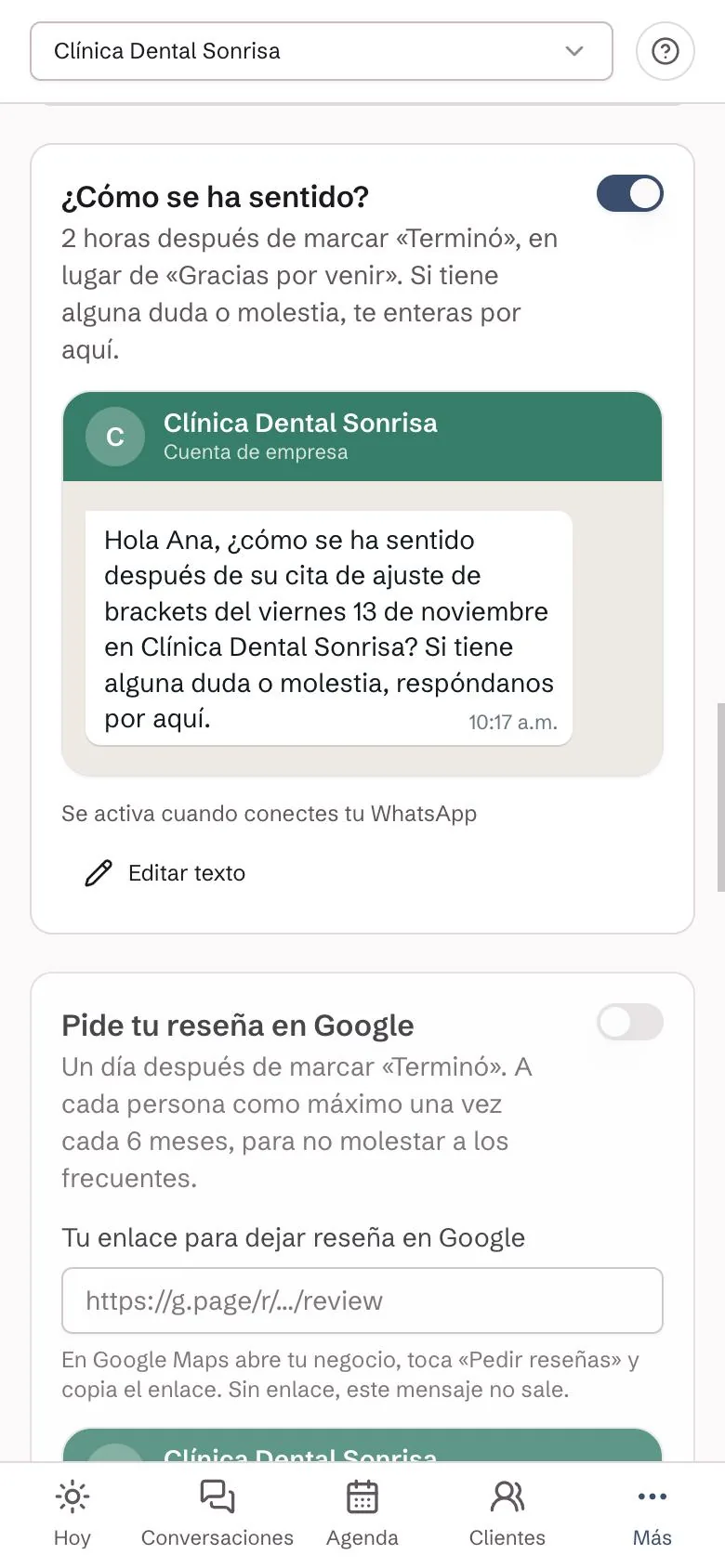
The reminder arrives with “Confirm” or “I need to change it”. After the visit it asks how they have been feeling: if something isn’t right, you find out on WhatsApp, not in a review.
Know them
Their appointments, stage, date of birth and allergies in one place. It hands emergencies to you right away; it never gives a diagnosis.
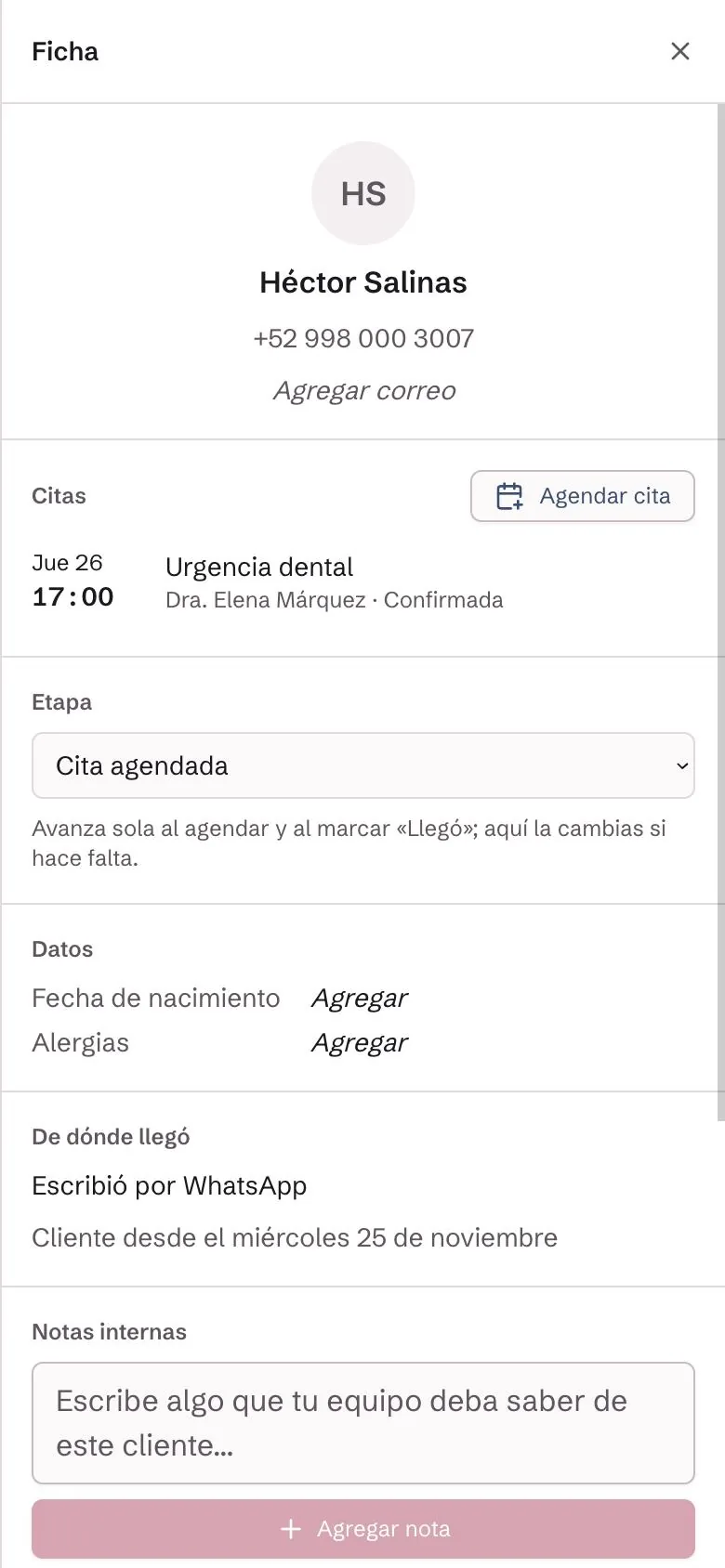
Sample data. Screenshots of the real app.
Automatic messages
Real Xolo App texts for clinics (shown here in English). You can edit them, turn them off or leave them as they are. For people who haven’t written to you in the last 24 hours they go out with the text WhatsApp approved, and Xolo handles that for you.
When booked in the app
Confirmation
24 hours before
Reminder
2 hours after
How have you been feeling?
When it’s due
Almost time
Ready to use
When you sign up you choose your type of practice and Xolo sets everything up with what is most common. You only review and change what is yours.
About 20 minutes.
One plan
Everything included: AI assistant with 1,500 replies a month, calendar, clients, automatic messages, insights and up to 5 seats for your team. You can also pay every 6 months or yearly at a discount.
FAQ
Yes. When you sign up you choose your type: general practitioner or specialist, dentist, psychology and therapy, nutrition, physical therapy, aesthetic medicine or podiatry. Each starts with its most common services.
No. It books, confirms and answers what you give it (location, prices, how to prepare). If they describe a life-threatening emergency, it tells them to call 911 or go to the ER and hands you the conversation.
Yes. Mark the service as online and add your video call link; it goes out in the confirmation and the reminder.
Yes, per service. The appointment stays pending until you mark the payment as received, and the patient gets the payment details.
3,000 MXN a month plus VAT, with 14 days free and no card to start. WhatsApp messages are charged by Meta directly to your card; anything you send to people who wrote to you in the last 24 hours is covered by 1,000 free messages a month per number.
Try it free for 14 days with your clinic. If it doesn’t fill your calendar or save you time, you don’t continue and you pay nothing.
Xolo App adapts to every type of business. See all business types