Time zones
Guests ask while you sleep
Travelers from abroad write at whatever time suits them. If your reply arrives hours later, they have already booked on a platform that answers instantly.
Xolo App Hotels
Xolo App replies in each guest’s language, checks which room is free for those nights and books the direct reservation on your WhatsApp, with no platform commission.
No card needed to start · Cancel anytime · Ready in minutes
Day to day
Time zones
Travelers from abroad write at whatever time suits them. If your reply arrives hours later, they have already booked on a platform that answers instantly.
Commissions
Many guests find you on Instagram or Google and message you first. If nobody replies, they end up booking through a platform that keeps its commission.
Arrivals
Reception finds out the arrival time when the guest is already at the door, and nobody asked during the stay whether everything was fine.
How it looks in Xolo App
Availability
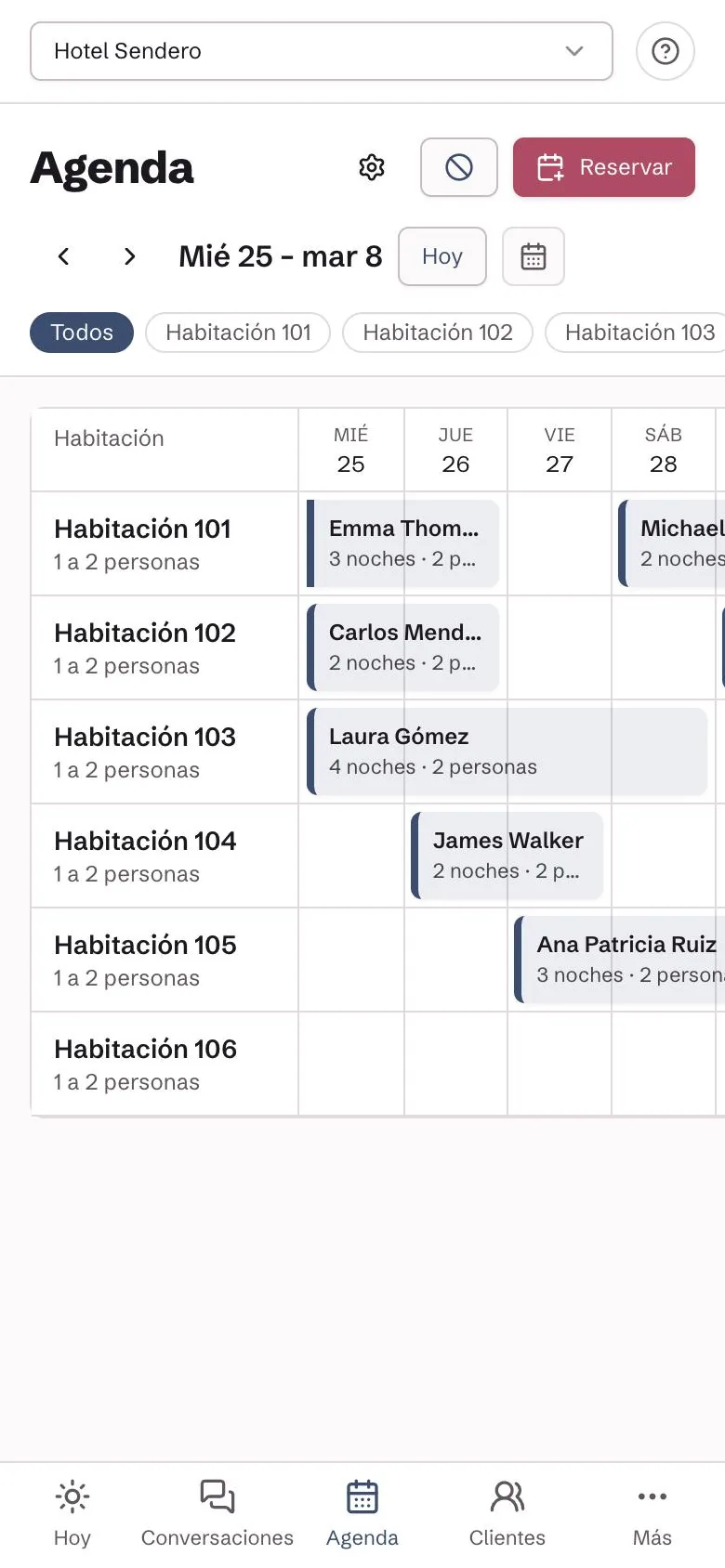
The guest says when they arrive, how many nights and how many people. The assistant checks which room is free for all those nights and, if you share prices, gives them the total.
Languages
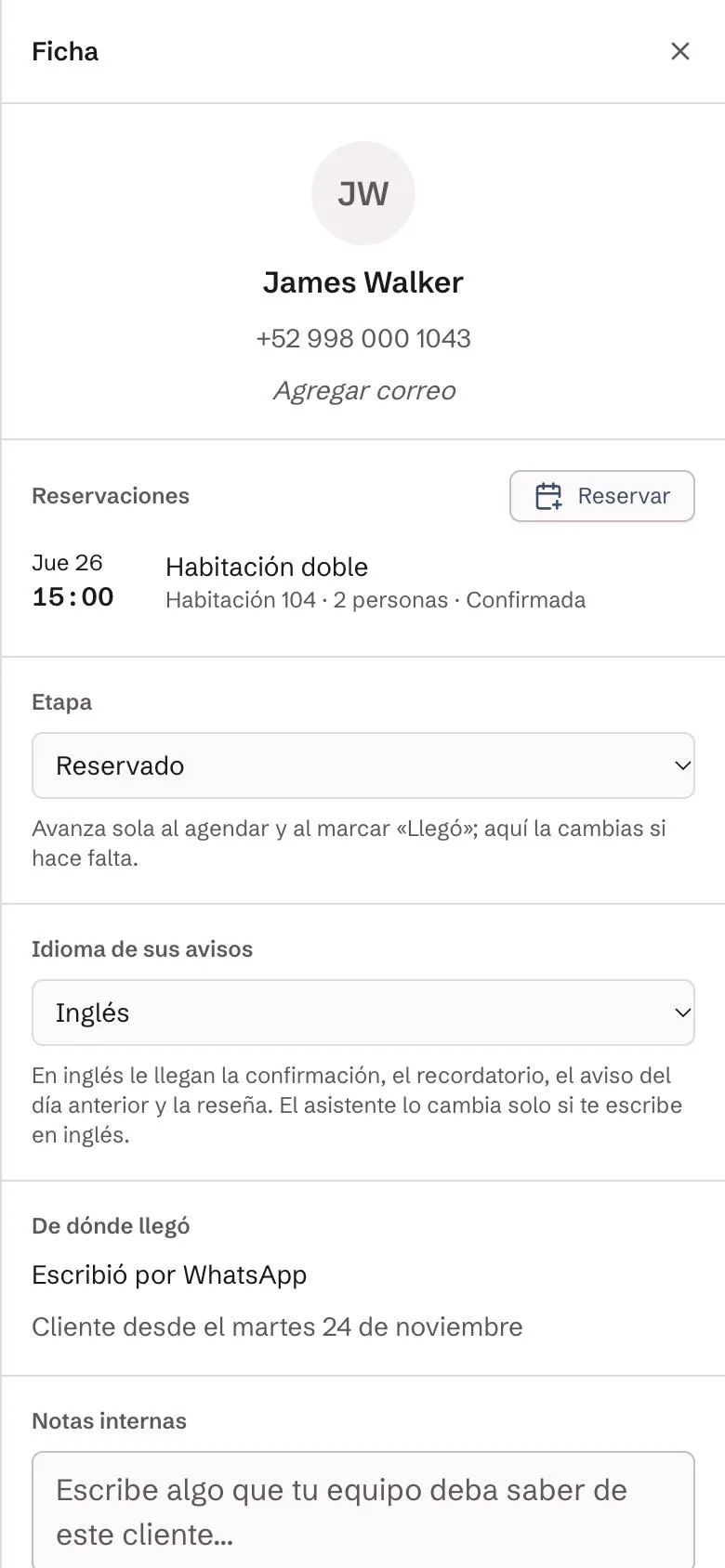
If they write in English, it replies in English and saves that language on the guest card. From then on, the confirmation, the day-before message and the review request also arrive in English.
Stay
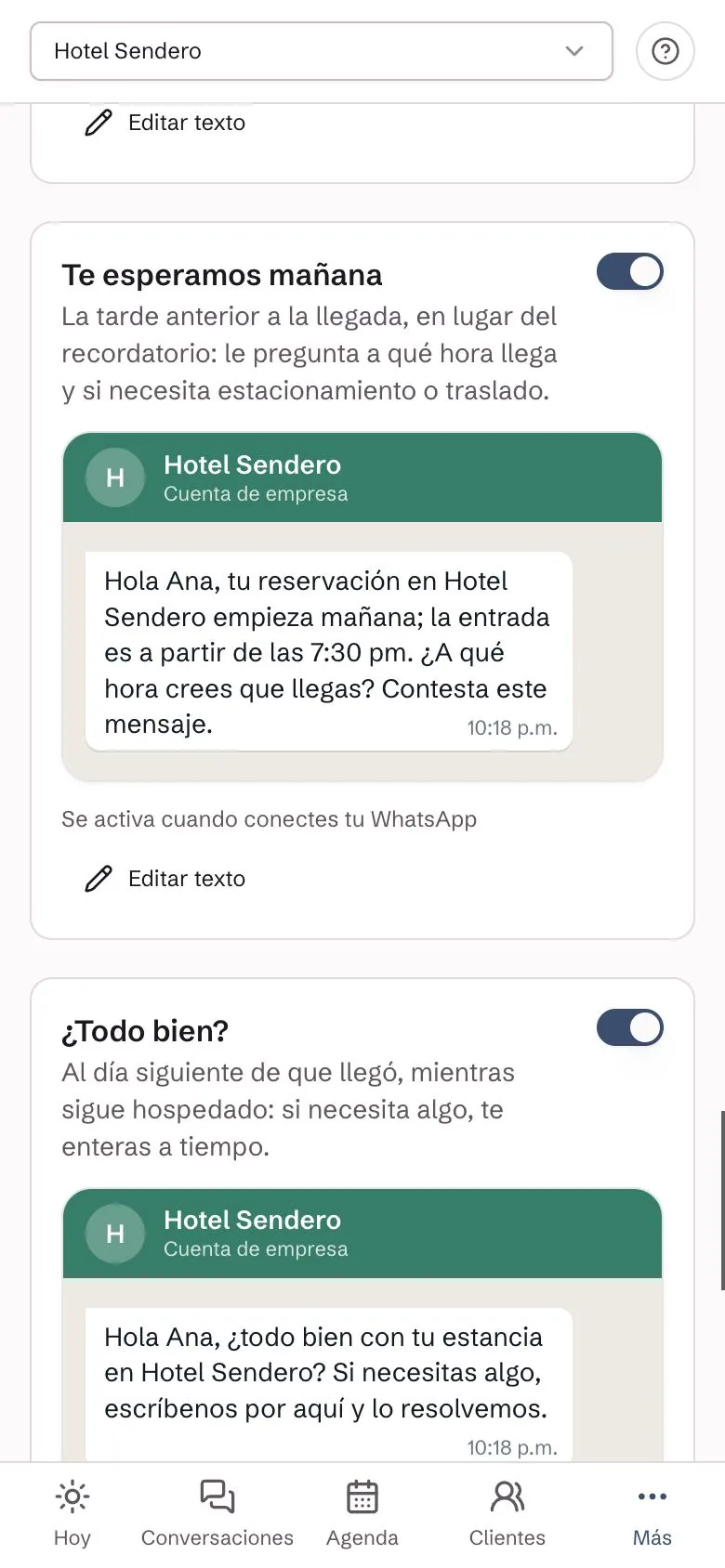
The day before, it asks what time they arrive. During the stay, it checks that everything is fine. If they need something, the conversation goes to your team.
Sample data. Screenshots of the real app.
Automatic messages
Real Xolo App texts for hotels: in English for guests who write in English, and in Spanish for everyone else. You can edit them or turn them off. For people who haven’t written to you in the last 24 hours they go out with the text WhatsApp approved, and Xolo handles that for you.
When you book from the app
Confirmation
The day before arrival
See you tomorrow
During the stay (in Spanish)
Is everything fine?
After check-out
Review
Ready to use
When you sign up you choose “hotel” and Xolo sets everything up with what is most common for the business. You only review and change what is yours.
About 30 minutes.
One plan
Everything included: AI assistant with 1,500 replies a month, calendar, clients, automatic messages, insights and up to 5 seats for your team. You can also pay every 6 months or yearly at a discount.
FAQ
No. Xolo App handles the direct bookings that come through your WhatsApp. Nights you sell elsewhere you block on the calendar so the assistant does not offer them.
Yes. It replies in the language the guest writes in and saves it on the guest card to send their messages in English.
If you allow it, it gives the price per night and the total for the stay. If not, it tells the guest your team will confirm the price.
Yes. You keep your number and can keep replying from your phone. When you write, the assistant steps aside.
3,000 MXN a month plus VAT, with a 14-day free trial and no card to start. WhatsApp messages are charged by Meta directly to your card; anything you send to people who wrote to you in the last 24 hours is covered by 1,000 free messages a month per number.
Try it free for 14 days with your hotel. If it does not bring you direct bookings or save you time, you simply do not continue and pay nothing.
Xolo App adapts to every type of business. See all business types