Capacity
Full classes of people who don’t show up
They book a spot, don’t come, and others were left out. Without a reminder, the spot is lost.
Xolo App Classes and gyms
Xolo App books spots in each class up to its capacity, reminds them 3 hours before so whoever can’t make it frees their spot, follows up on trial classes and tracks every package.
No card needed to start · Cancel anytime · Ready in minutes
Day to day
Capacity
They book a spot, don’t come, and others were left out. Without a reminder, the spot is lost.
Trial
They come, they like it, but nobody writes afterwards. Without follow-up, whoever was going to sign up cools off.
Packages
How many classes they have left, when it expires, who missed. All in a notebook or in the front desk’s memory.
How it looks in Xolo App
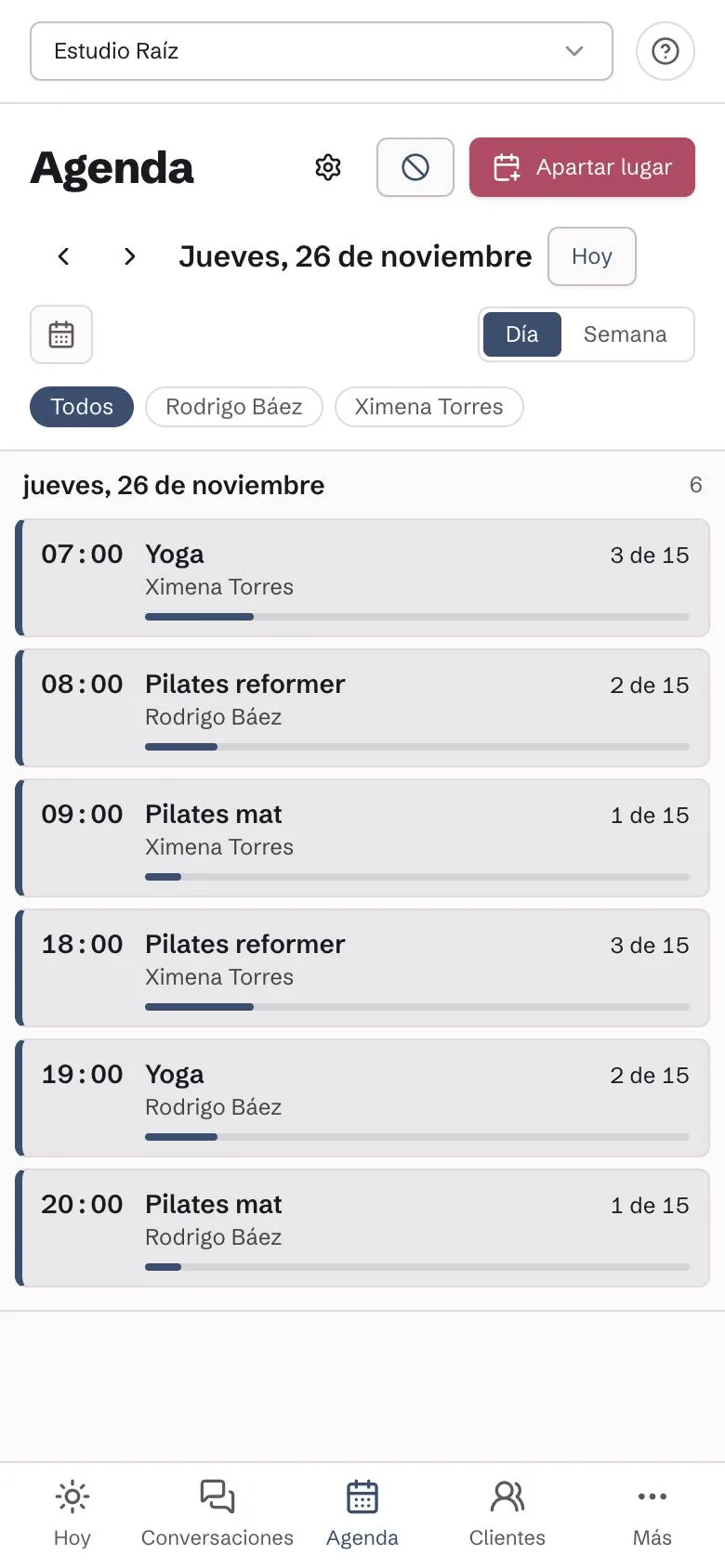
Calendar
You set up your weekly classes with their time, instructor and spots. The assistant books while there is room and you see how many are in each class.
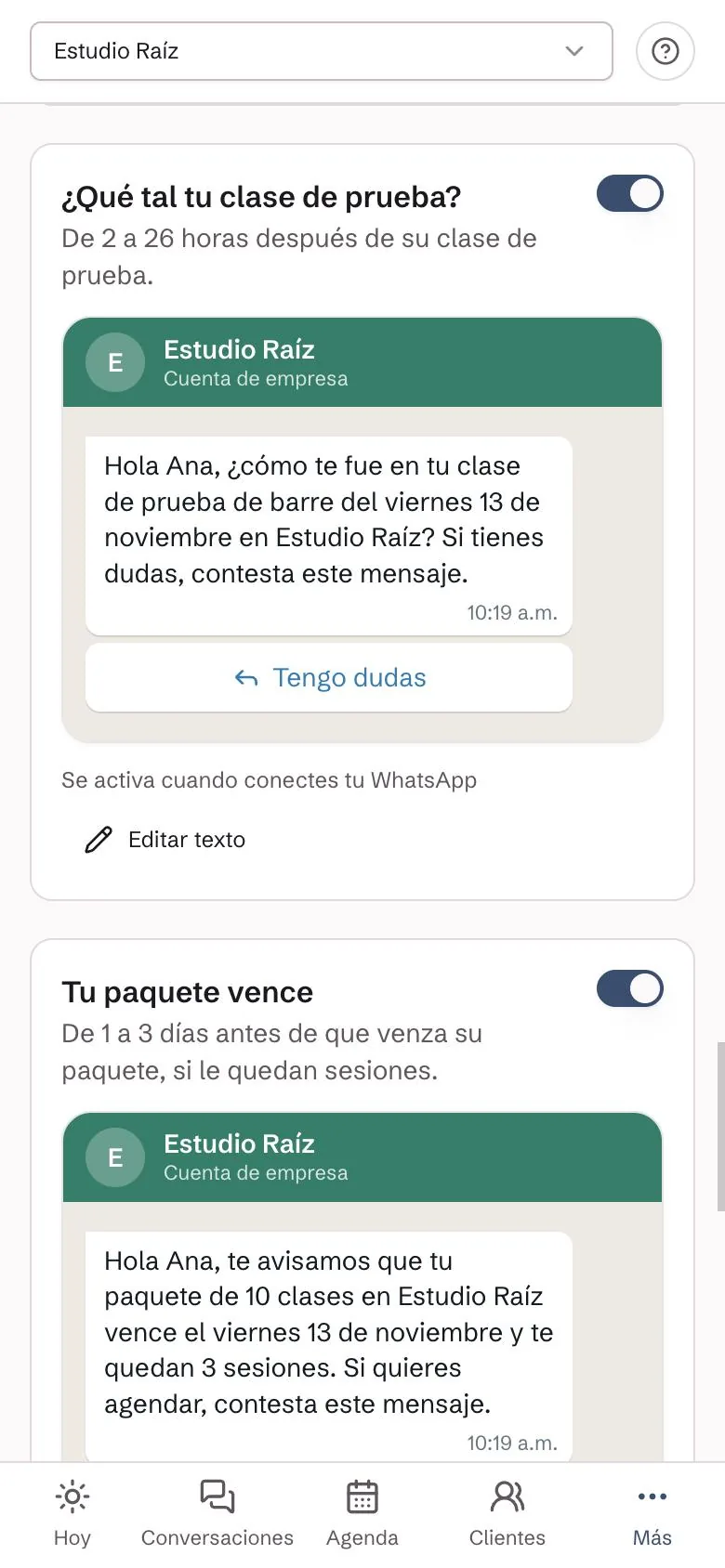
Reminders
Three hours before, the reminder arrives with “Confirm”. After their trial class it asks how it went, and your team takes the conversation from there to sign them up.
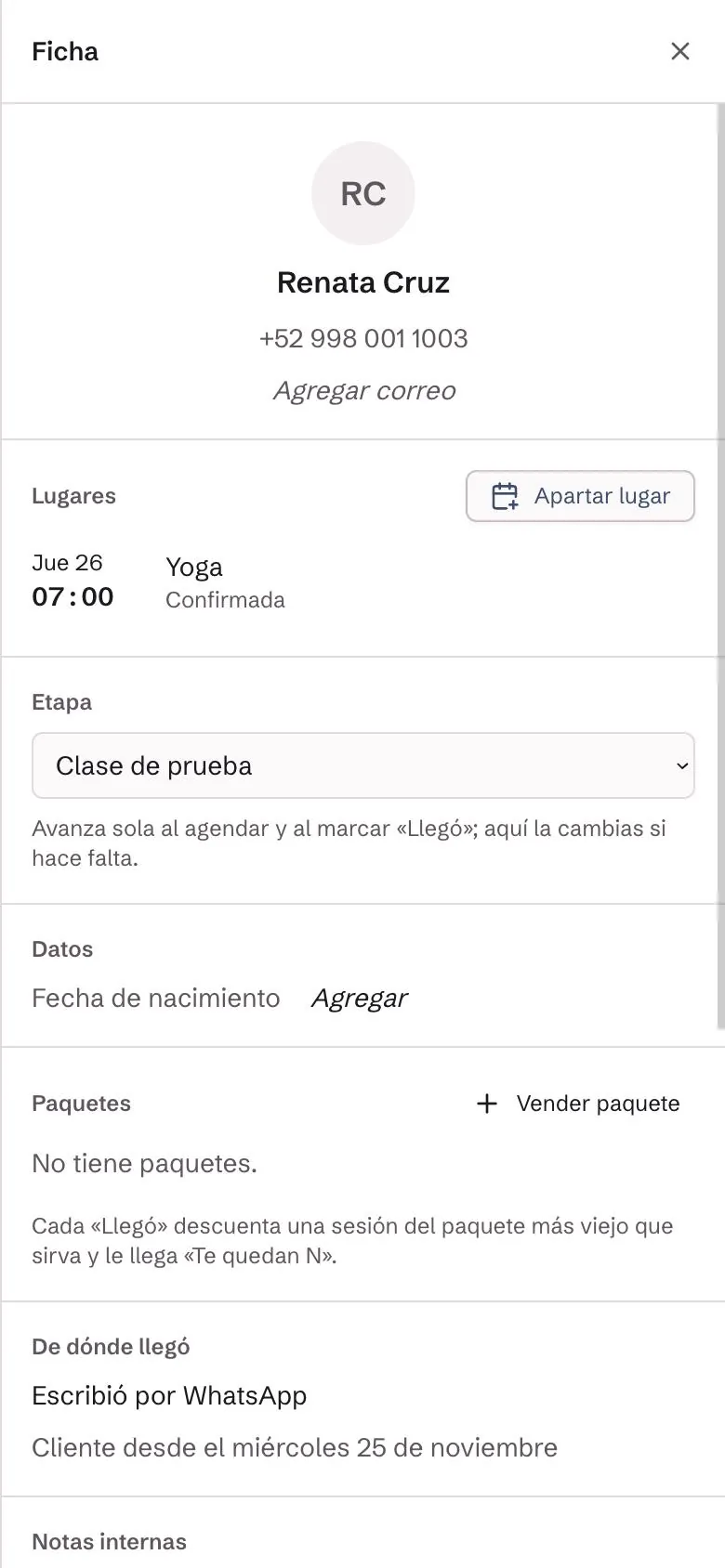
Know them
New, trial class, student or didn’t continue: you know where each one stands and who to write to. Their classes and packages, on the same card.
Sample data. Screenshots of the real app.
Automatic messages
Real Xolo App texts for classes (shown here in English). You can edit them, turn them off or leave them as they are. For people who haven’t written to you in the last 24 hours they go out with the text WhatsApp approved, and Xolo handles that for you.
3 hours before
Reminder
After the trial class
How was your trial class?
When their visit is logged
Sessions left
Before it expires
Your package expires
Ready to use
When you sign up you choose your type of classes and Xolo sets everything up with what is most common. You only review and change what is yours.
About 20 minutes.
One plan
Everything included: AI assistant with 1,500 replies a month, calendar, clients, automatic messages, insights and up to 5 seats for your team. You can also pay every 6 months or yearly at a discount.
FAQ
Yes. When you sign up you choose your type: gym and training, yoga and pilates, dance, languages and tutoring, or music and art. Each starts with its classes and weekly schedule.
It doesn’t charge: when someone wants to sign up or pay, the assistant hands you the conversation. You log packages on the student’s card and the app keeps count of the classes.
Yes. Under My business → Classes you change the time, instructor and spots of every class in the week.
Yes. You keep your number and can keep replying from your phone. When you write, the assistant steps aside.
3,000 MXN a month plus VAT, with 14 days free and no card to start. WhatsApp messages are charged by Meta directly to your card; anything you send to people who wrote to you in the last 24 hours is covered by 1,000 free messages a month per number.
Try it free for 14 days with your studio or gym. If it doesn’t fill your classes or save you time, you don’t continue and you pay nothing.
Xolo App adapts to every type of business. See all business types