Peak hours
Nobody answers when most people write
Reservation requests arrive between 8 and 10 pm, exactly when your team has no free hands. Whoever gets no reply books somewhere else.
Xolo App Restaurants
While your team works the floor, Xolo App answers every message, holds the right table for each party, confirms the same day and tells you in time who is not coming.
No card needed to start · Cancel anytime · Ready in minutes
Day to day
Peak hours
Reservation requests arrive between 8 and 10 pm, exactly when your team has no free hands. Whoever gets no reply books somewhere else.
Empty tables
You keep the table, turn another party away, and at 9 it is still empty. Nobody confirmed in the afternoon or asked if they were on their way.
Groups
Large groups need a different conversation: deposit, menu, tables together. Handled like a table for two, they get lost or charged wrong.
How it looks in Xolo App
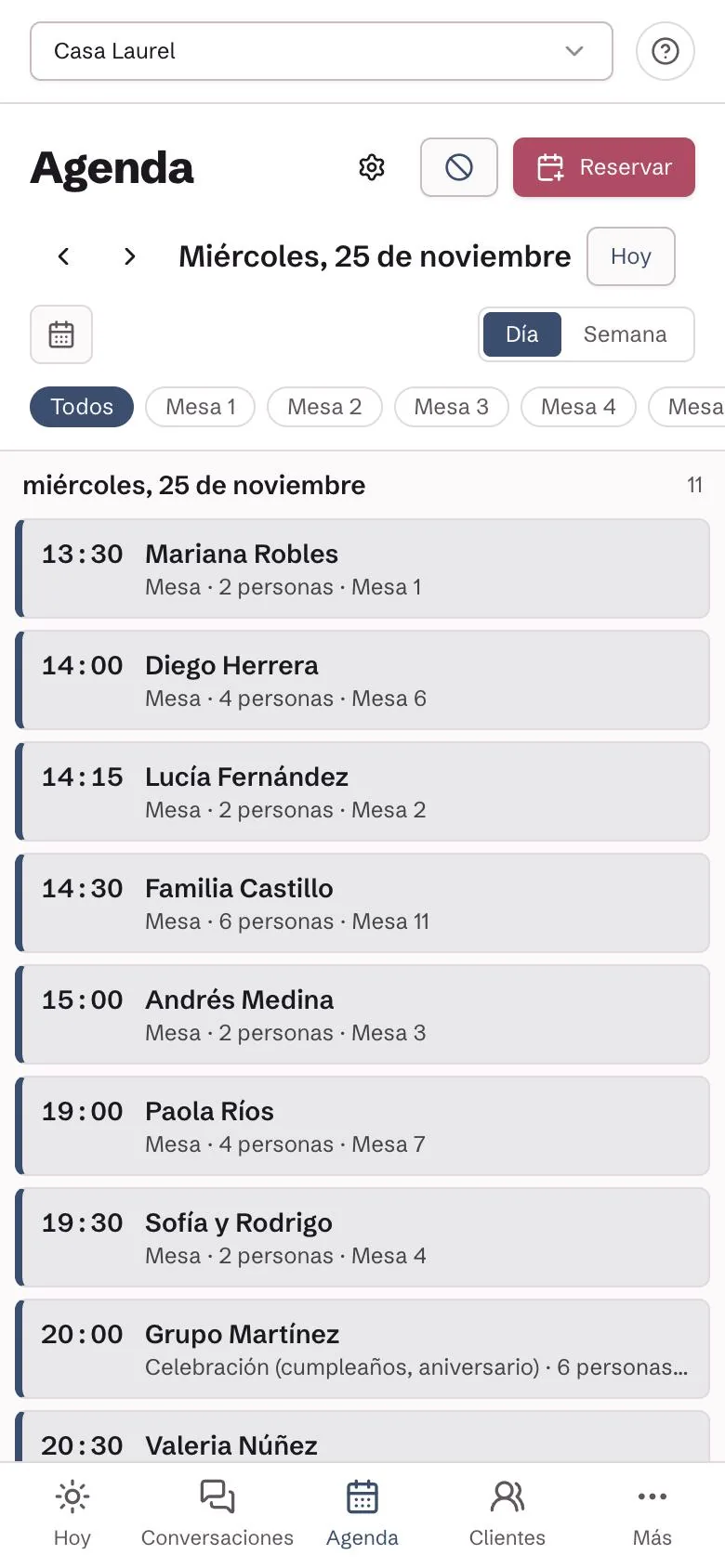
Calendar
Tell it how many tables you have and how many seats each one has. The assistant only offers times where the whole party fits, and the table time grows with the party.
Reminds
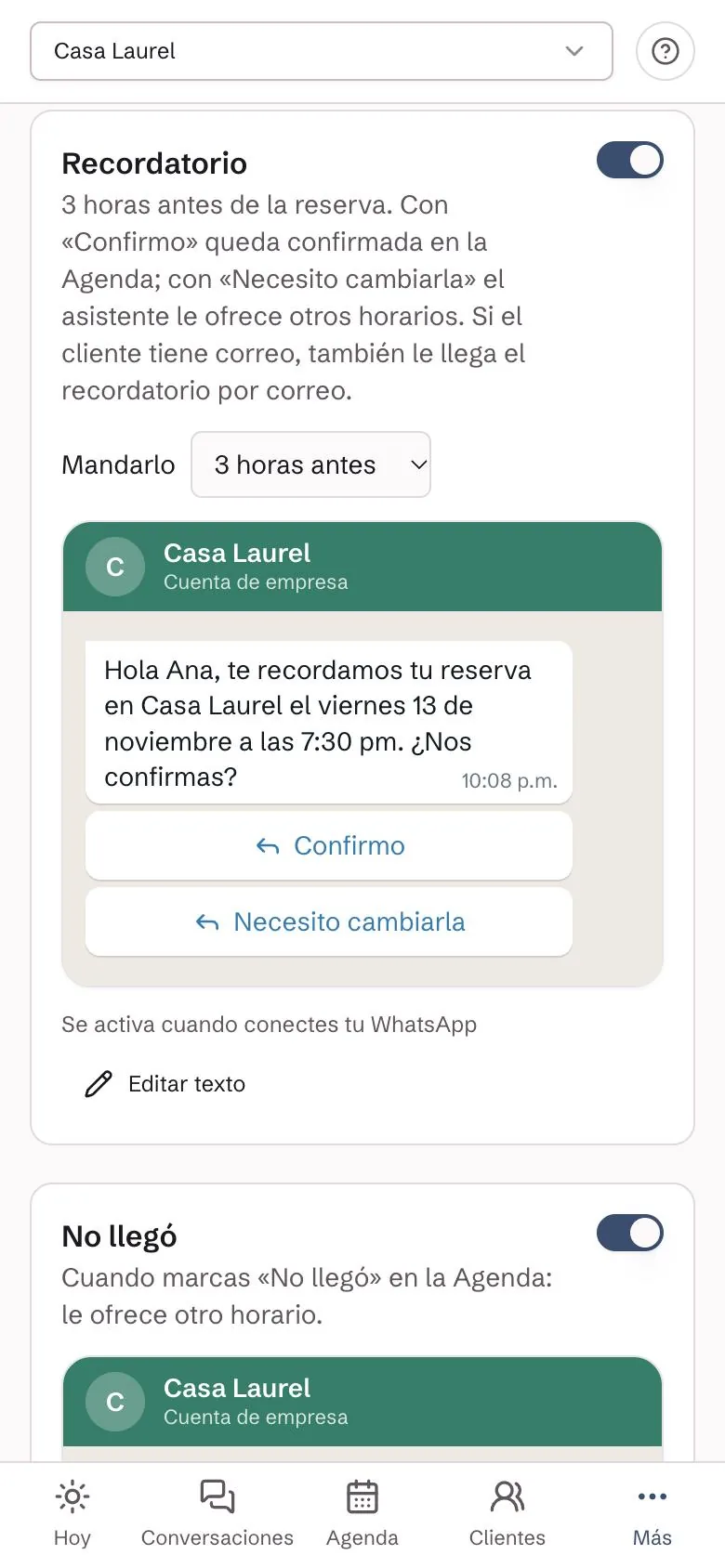
Three hours before, the guest gets a reminder with «Confirm» or «I need to change it». If they have not arrived 10 minutes after their time, it asks if they are on their way while you hold the table.
Knows
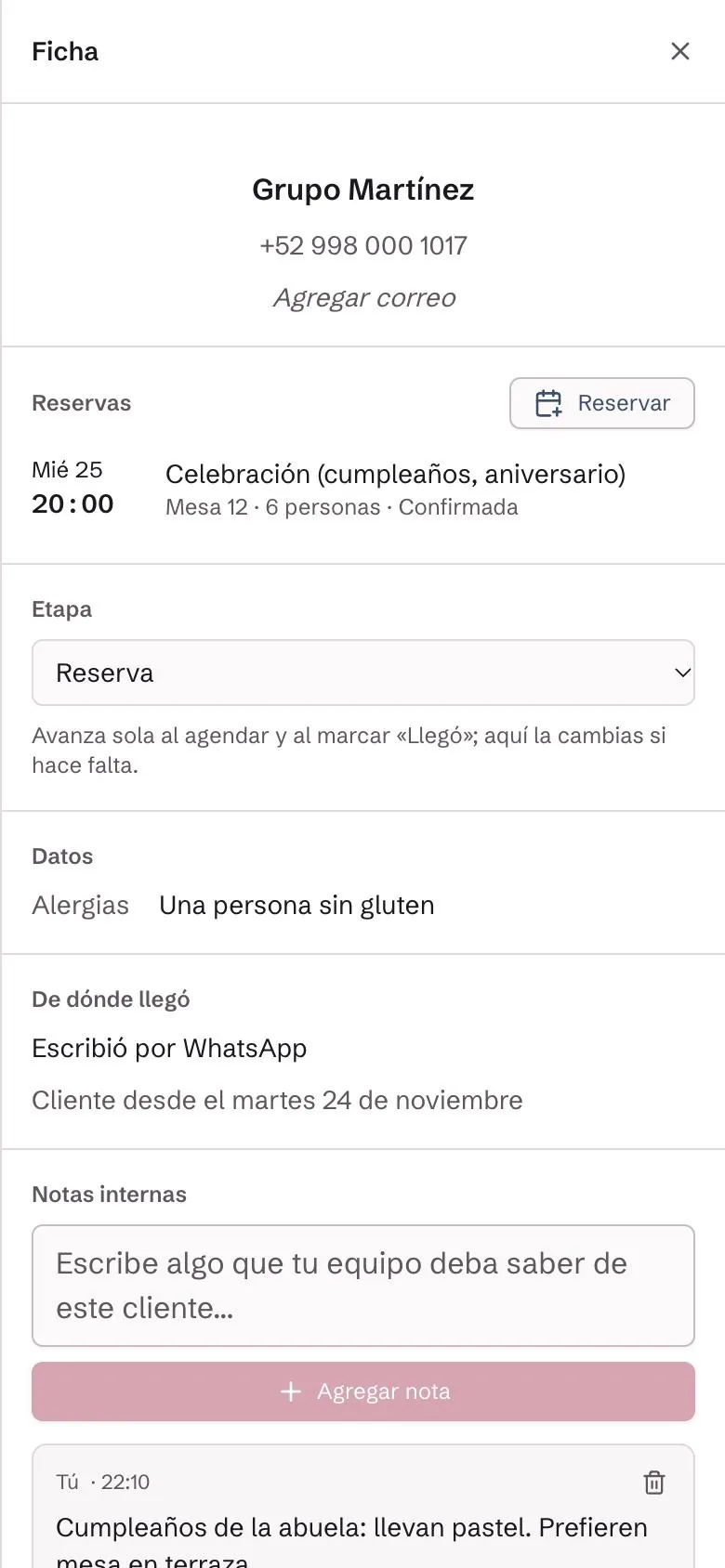
The assistant asks what matters (celebrations, allergies, high chair, terrace) and saves it on the guest card. Your team sees it before they arrive.
Sample data. Screenshots of the real app.
Automatic messages
Real Xolo App texts for restaurants in Mexico (in Spanish). You can edit them, turn them off or leave them as they are. For people who haven’t written to you in the last 24 hours they go out with the text WhatsApp approved, and Xolo handles that for you.
When you book from the app
Confirmation
3 hours before
Reminder
10 minutes after their time
Are you on your way?
When a table opens up
Waitlist
Ready to use
When you sign up you choose “restaurant” and Xolo sets everything up with what is most common for the business. You only review and change what is yours.
About 20 minutes.
One plan
Everything included: AI assistant with 1,500 replies a month, calendar, clients, automatic messages, insights and up to 5 seats for your team. You can also pay every 6 months or yearly at a discount.
FAQ
Yes. When you set up your restaurant you choose «by table» or «by capacity». By capacity you take up to the number of guests you set every half hour, with no table assigned, and private events can sit outside that capacity.
The assistant only books up to the group size you decide. For larger groups it asks for the day and time and hands the conversation to you. If you take deposits, you can ask for them only from a certain party size.
Yes. You keep your number and can keep replying from your phone. When you write, the assistant steps aside.
It only answers with what you give it: your hours, your menu, your policies. If it does not know something, it tells the guest someone will reply shortly and hands the conversation to you.
3,000 MXN a month plus VAT, with a 14-day free trial and no card to start. WhatsApp messages are charged by Meta directly to your card; anything you send to people who wrote to you in the last 24 hours is covered by 1,000 free messages a month per number.
Try it free for 14 days with your restaurant. If it does not fill your tables or save you time, you simply do not continue and pay nothing.
Xolo App adapts to every type of business. See all business types