Dates
“Is Saturday free?”, at 11 at night
People planning a wedding or a quinceañera ask several venues. If you reply the next day, they already booked elsewhere.
Xolo App Events
Xolo App answers whoever asks for a date, checks which room is free, quotes your per-guest packages, asks for the deposit, reminds about the balance and a month before confirms guests, menu and schedule.
No card needed to start · Cancel anytime · Ready in minutes
Day to day
Dates
People planning a wedding or a quinceañera ask several venues. If you reply the next day, they already booked elsewhere.
Deposits
You keep Saturday for someone who never sends the deposit, and meanwhile you turn down another client.
Details
Without a timely reminder, menu and guest details arrive late and everything gets solved in a rush.
How it looks in Xolo App
Dates
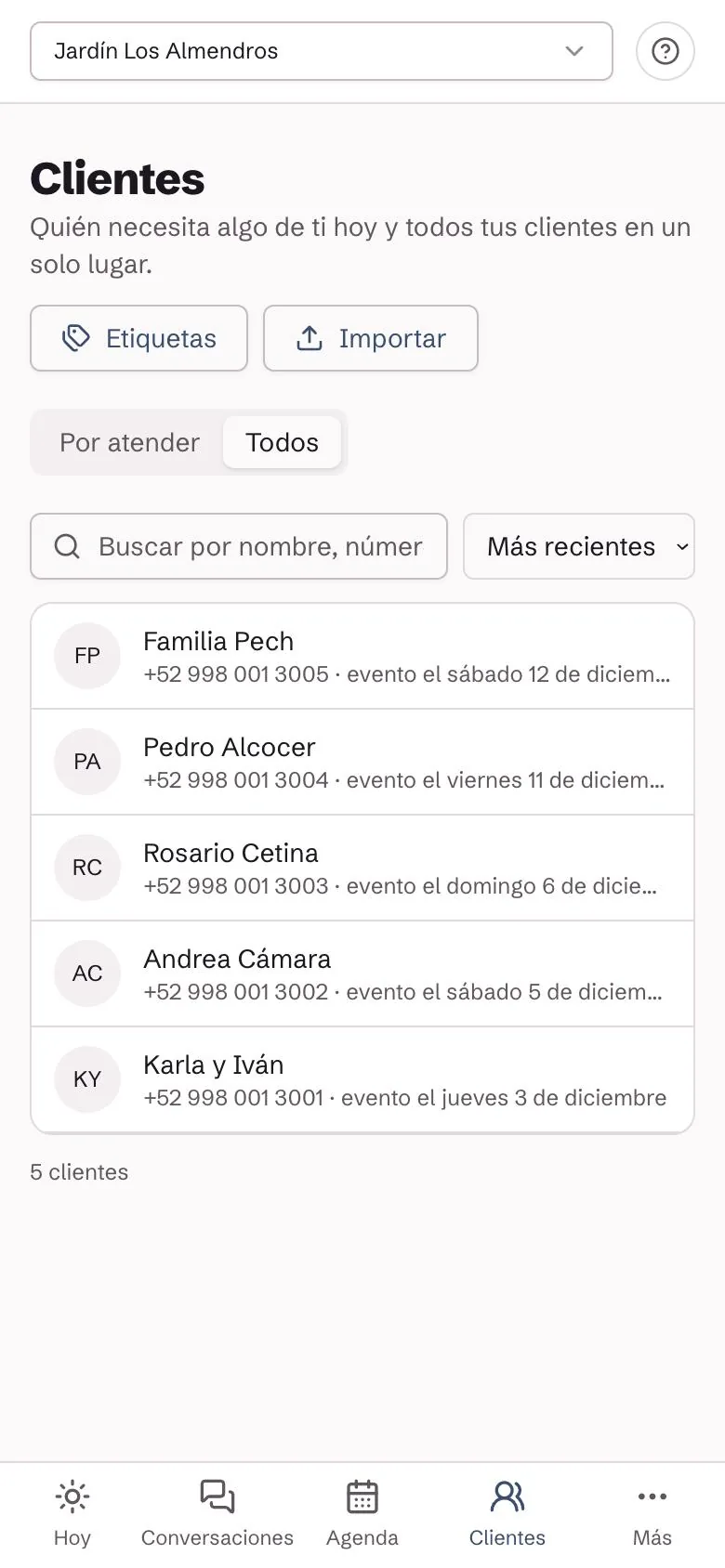
You add your rooms or gardens with how many guests fit. The assistant checks what’s free that day and proposes holding it; your team confirms.
Payments
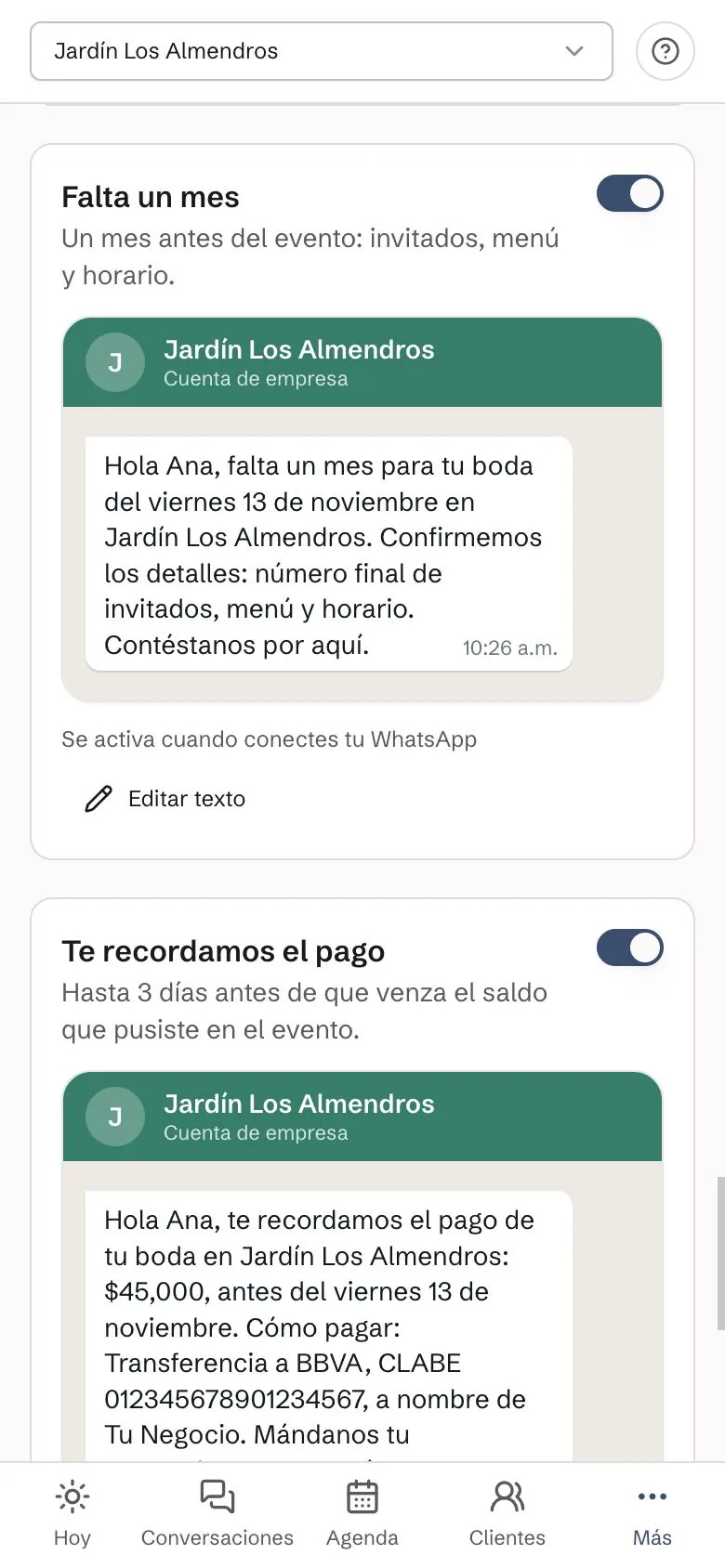
The quote goes out with your per-guest packages. When the date is held, the client is told the deposit and how to pay; if it isn’t paid in 5 days, the date is released. Before the balance is due, they get a reminder.
Know them
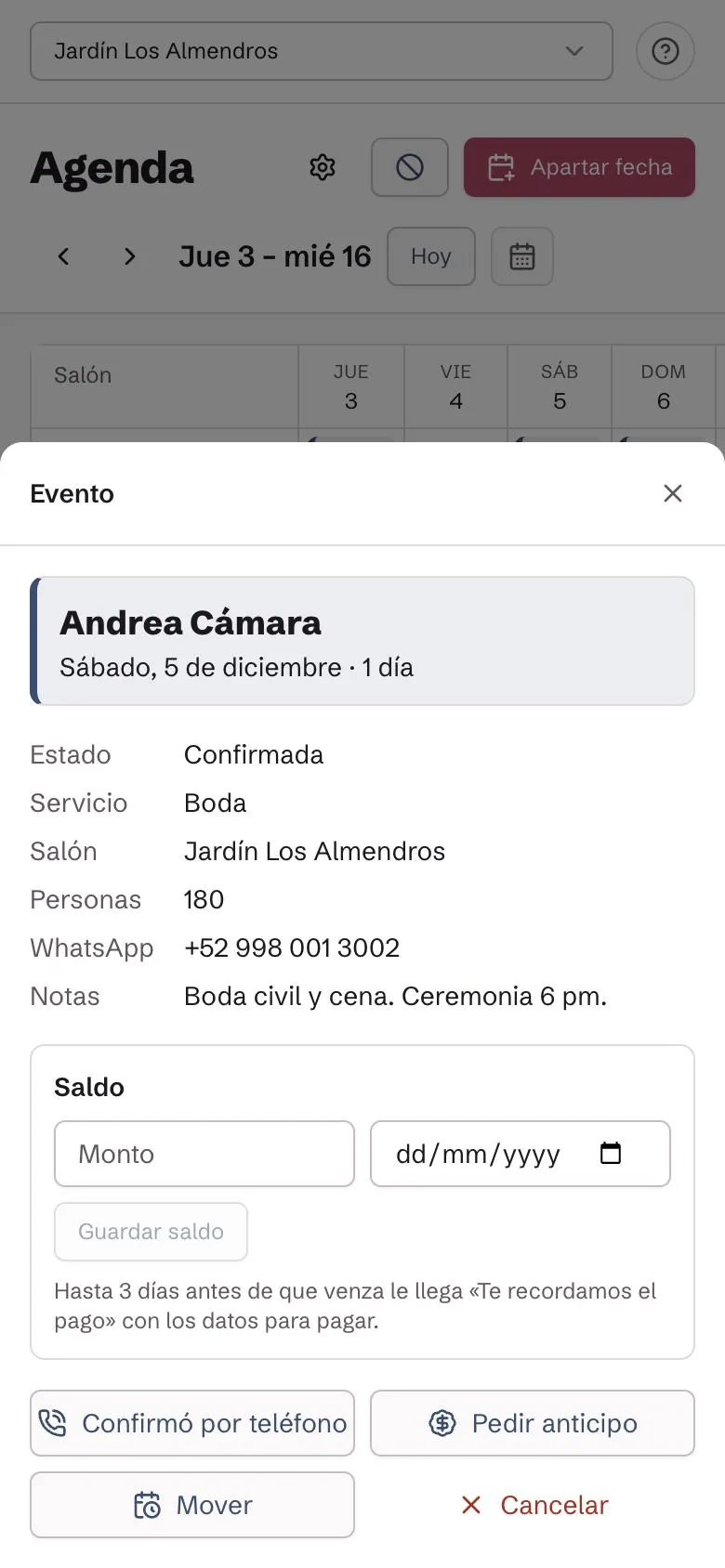
The event shows the room, guests, package and notes. A month before, the client gets “One month to go” to confirm guests, menu and schedule.
Sample data. Screenshots of the real app.
Automatic messages
Real Xolo App texts for event venues. To clients who write in English, the confirmation, reminder and review request go out in English; the rest go out in Spanish. You can edit them, turn them off or leave them as they are, and Xolo handles WhatsApp’s approval for you.
When the date is set
Confirmation
72 hours before
Reminder
A month before (in Spanish)
Falta un mes
After the event
Review
Ready to use
When you sign up you tell us how many rooms or gardens you rent and Xolo sets everything up with what is most common. You only review and change what is yours.
About 25 minutes.
One plan
Everything included: AI assistant with 1,500 replies a month, calendar, clients, automatic messages, insights and up to 5 seats for your team. You can also pay every 6 months or yearly at a discount.
FAQ
Yes. You add each space with how many guests fit, and the assistant only offers the ones that are free that day and can hold the event.
No: it proposes the date and your team confirms it from Today. It doesn’t move or cancel events either; your team handles that.
Not by default: for events it comes off, because the price depends on the package and the guests. Your team sends the quote with your per-guest packages.
The event stays pending until you mark “Deposit received”. If it doesn’t arrive in 5 days, the date is released for another client.
3,000 MXN a month plus VAT, with 14 days free and no card to start. WhatsApp messages are charged by Meta directly to your card; anything you send to people who wrote to you in the last 24 hours is covered by 1,000 free messages a month per number.
Try it free for 14 days with your venue. If it doesn’t help you hold dates and collect deposits, you don’t continue and you pay nothing.
Xolo App adapts to every type of business. See all business types